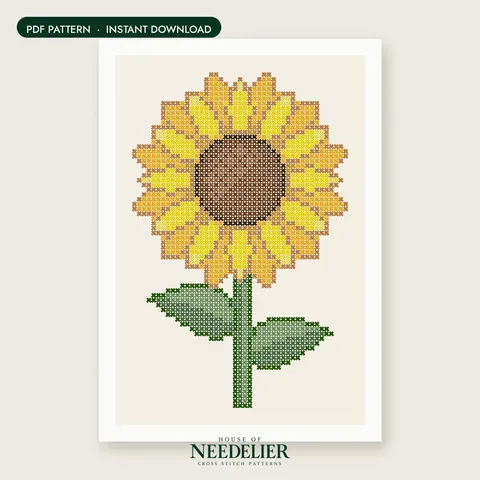
Each pattern comes as four PDFs: English, Español, Français and Deutsch. The charts and floss key are the same in all four; the cover, instructions, page headings and labels are translated. DMC color names are the official DMC names.
| File ending | Language |
|---|---|
| …-House-of-Needelier.pdf | English |
| …-ES.pdf | Spanish (Español) |
| …-FR.pdf | French (Français) |
| …-DE.pdf | German (Deutsch) |
Download only the language you need – or all four if you stitch with friends around the world.
What's inside the PDF, page by page
Every file follows the same order, so once you know one pattern you know them all.
- Cover. The finished design with its stitch count (or the number of motifs in a set), the number of DMC colors, the total number of stitches and the skill level, plus a table of finished sizes on 14, 16 and 18 count Aida and 28 count linen over two.
- Floss key. One row per color with its swatch, chart symbol, DMC number and name, stitch count, skein estimate and a “Done” box. Long keys continue on a second page.
- Page map (larger designs). A small diagram showing how the chart pages fit together.
- Collection layout and motif positions (motif sets). All the motifs shown together, plus a table with each motif's size, start position and chart pages, in case you want to stitch the whole set as one piece.
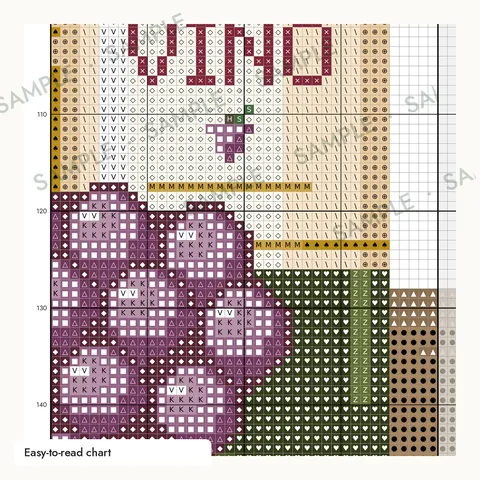
- Color chart. The design in color, one square per cross stitch, with a symbol on every square.
- Black-and-white symbol chart. The same chart in symbols only, for printing and marking off. In motif sets, each motif has its own color chart followed by its own symbol chart.
- Instructions and license. How to use the pattern, the recommended fabric and strands, how to find the center, finishing notes and what you may do with the design.
Our guide to reading the charts explains the grid, the arrows and the page map in more detail.
How the floss key works
The floss key links the chart to the floss you buy. Find a symbol on the chart, look it up in the key, and stitch that square with the DMC number shown. The same symbol is used on both the color chart and the black-and-white chart.
- DMC number and name – what to buy. Blanc (white) and Ecru are DMC names rather than numbers.
- Stitches – how many crosses use each color, so you can see the main colors at a glance.
- Skeins – estimated for 14 count Aida with two strands, at about 1,500 stitches per skein, rounded up.
- Motifs (sets only) – which motifs use each color, so you can buy only what you need for the ones you'll stitch.
On 11 count with three strands, plan on roughly twice the skeins for your main colors. On 16 and 18 count with two strands, the estimate is generous. Read more in how much floss do I need?
Finished sizes on different fabrics
The cover lists the four most popular fabrics. For anything else, divide the stitch count by the fabric's stitches per inch. Here's how one design, the 117 × 117 stitch Coffee and Books, comes out:
| Fabric | Stitches per inch | Finished size |
|---|---|---|
| 11 ct Aida | 11 | 10.6 × 10.6 in (27.0 cm) |
| 14 ct Aida or 28 ct over two | 14 | 8.4 × 8.4 in (21.2 cm) |
| 16 ct Aida or 32 ct over two | 16 | 7.3 × 7.3 in (18.6 cm) |
| 18 ct Aida or 36 ct over two | 18 | 6.5 × 6.5 in (16.5 cm) |
| 25 ct evenweave over two | 12.5 | 9.4 × 9.4 in (23.8 cm) |
Then add 3 inches (7.5 cm) on every side for your fabric. The fabric count guide has a calculator for any pattern.
Printing
- Print at 100% / Actual size – switch off “Fit to page” – so the grid squares stay square.
- The black-and-white symbol chart prints beautifully on any printer and saves color ink.
- Our PDFs are US Letter size; on A4 paper, choose “Actual size” and the margins take care of the rest.
- You don't have to print everything. Use the page range in your print dialog to print just the chart pages, and keep the cover and key on screen.
- Need bigger squares? Print a chart page enlarged on bigger paper, such as 11 × 17 inch or A3, or zoom in on a tablet instead.
- Slip printed pages into clear sheet protectors, or keep a working copy you're happy to mark up and a clean copy for next time.
On a phone or tablet
Open the PDF in any PDF reader app on your tablet or phone. Zoom in on the color chart and use the highlighter tool to mark finished areas.
- On an iPhone or iPad, save the file to the Files app, then open it there or in any PDF app.
- On Android, downloads usually go to the Downloads folder; open them with a PDF reader or from your file manager.
- A PDF annotation app lets you highlight stitched squares, add notes and keep your place across pages.
- Lock the screen rotation and turn up the auto-lock time so the chart doesn't jump or switch off while you stitch.
A tablet is the comfortable choice for big charts. Our guide to stitching from a PDF pattern covers marking, zooming and keeping your place in detail.
Keep your files safe
Save the PDFs somewhere you can find them again – a “Cross stitch” folder in your cloud storage is perfect. If you bought on Etsy, you can always download them again from Purchases in your Etsy account.
Download problems and how to fix them
| Problem | What to try |
|---|---|
| I can't find my files on Etsy | Sign in, open Purchases from your account, and choose Download files next to the order |
| I checked out as a guest | Open the order confirmation email from Etsy – it has a link to your downloads |
| Nothing happens in the Etsy app | Sign in to Etsy in your phone's web browser or on a computer and download from Purchases there |
| The file says it's damaged or won't open | The download probably didn't finish – delete it and download again over a stable connection |
| I can't find the file on my phone | Look in the Files app (iPhone and iPad) or the Downloads folder (Android) |
| My free download link has stopped working | Download links on our site are only valid for a short time, so get the pattern again from the free patterns page |
Still stuck? Message us through our Etsy shop and we'll help right away.
Next: washing, pressing and framing.
Frequently asked questions
Are the charts different in each language?
No. The charts, symbols and floss key are identical in all four PDFs; only the text on the cover, headings, labels and instructions is translated.
Can I print a PDF cross stitch pattern on A4 paper?
Yes. Our PDFs are US Letter size, but if you print at “Actual size” on A4 the margins are wide enough that nothing is cut off.
Why should I print at 100% instead of fit to page?
Printing at 100% keeps the chart at the size it was designed and the squares even, so the grid is easy to count. Fit to page can shrink the chart and change the margins.
Can I use a cross stitch PDF on my phone or tablet?
Yes. Open it in any PDF reader app, zoom in on the chart and use a highlighter tool to mark what you've stitched. A tablet's larger screen is more comfortable for big charts.
How do I download my pattern again?
If you bought on Etsy, go to Purchases in your Etsy account and choose Download files – you can do this as often as you need. Save a copy in cloud storage too.
What does the skein number in the floss key mean?
It's an estimate of how many skeins of that DMC color you need for 14 count Aida with two strands, at about 1,500 stitches per skein, rounded up.